 WhatsApp
 Facebook
 YouTube
First ignition
When you turn it on for the first time, after installing the GOLDENRADIO firmware, the screen for choosing the language appears.
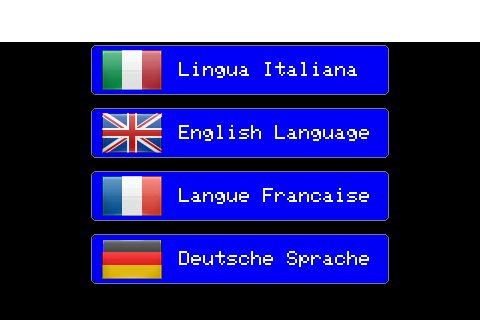
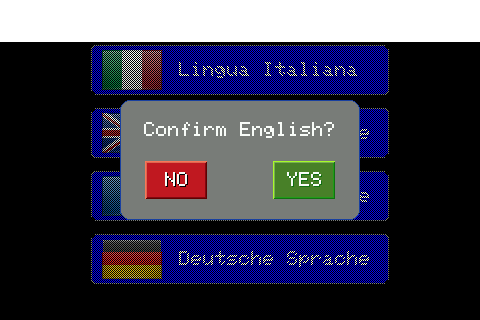
Tap the language you want to set: a confirmation window appears with the name of the chosen language. Tap YES to confirm, or NO to return to the list without changing anything.
Subsequently, if the installed firmware includes multiple model variants to choose from, you are asked to indicate the radio model. However, if that variant corresponds to only one possible model, the radio selects it on its own and this step does not even appear.
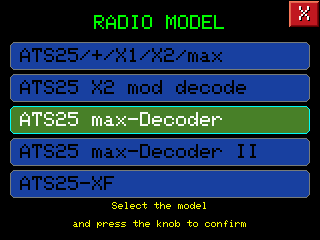
The choices proposed depend on the file installed: each variant of the firmware (the file chosen during installation) brings with it its own list of models. When the list has multiple items, as in the example in the photo, you choose by turning the knob or touching a line to move the highlighting, and confirm by pressing the knob.
In case of an error, the choice can always be changed later, if the firmware includes more variants: we will see this shortly, talking about the hidden functions of the splash screen.
The splash screen then appears.
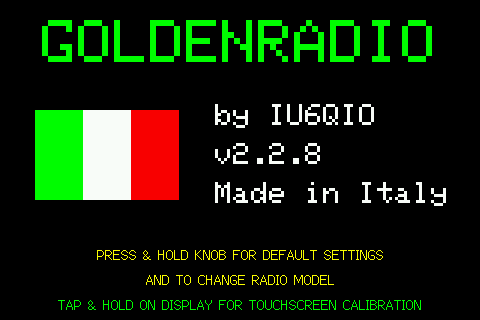
After the very first power-on, on subsequent restarts the radio will start directly with the splash, without asking for language and model anymore.
Factory reset and model change: press and hold the knob
If you keep the knob button (the encoder) pressed during the 3 seconds of the splash, the radio deletes all the saved preferences and returns to the factory settings: it immediately asks for the language again, then it asks if you also want to change the configured radio model.
It's an immediate action, without subsequent confirmation: use it only if you really want to reset everything. The saved memories are not affected, only the preferences disappear.
The "preferences" are the settings that the radio remembers on its own from one switch on to the next, distinct from the memories: for example the last frequency tuned to each band, the saved WiFi networks, the volume, the screen brightness, the chosen IARU region. After the reset they all return to the factory value.
Touchscreen calibration: Press and hold the screen
If you touch the touch at startup for its entire duration (the 3 seconds of the splash), the radio enters directly into the screen calibration, the same which can also be recalled from Settings. Useful if the touch is imprecise or out of balance after an update.
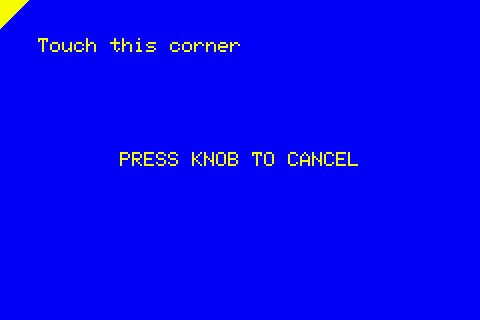
Touch each indicated corner in sequence; it can be canceled at any time by pressing the knob, which restores the previous calibration without saving the new one.
Automatic search for WiFi networks
If you do not hold down either the knob or the screen, the radio tries to connect to already saved WiFi networks during the splash.
Saved networks are tried in order of priority (most recently used first).