 WhatsApp
 Facebook
 YouTube
Band Plan
Pressing  on the Settings page takes you to the Select IARU Region and FM Range page, to set the IARU region and FM band.
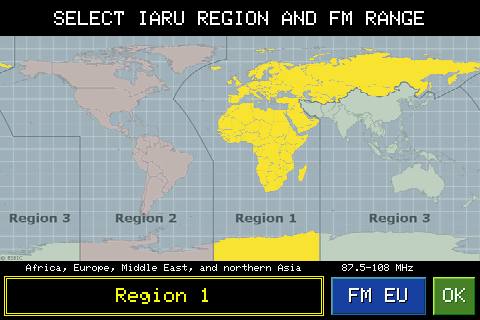
The map shows the three IARU regions, highlighted in a different color: Region 1 (Africa, Europe, the Middle East and North Asia), Region 2 (the Americas) and Region 3 (the rest of Asia and the Pacific). Tap the map area you are interested in to select it: the box at the bottom left shows the name of the region and a short description, with the border the same color as the area highlighted on the map.
The chosen region determines the limits of some amateur radio bands which vary from area to area: 160m, 80m, 40m and 2m. The other HF bands (30, 20, 17, 15, 12, 10m) are the same worldwide and do not change with the region.
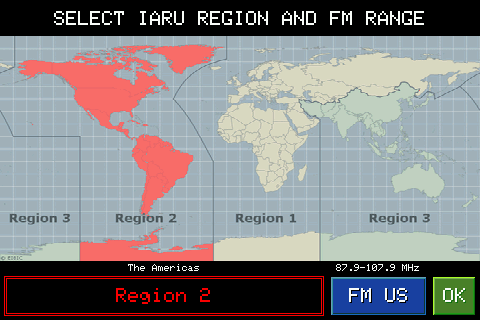
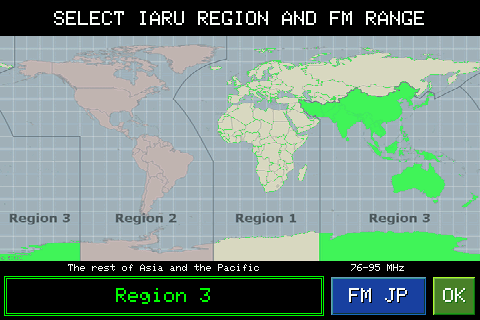
The FM xx button (EU, US or JP depending on your choice) is independent of the region: each touch cycles through the three ranges used worldwide by the FM broadcast band — FM EU (87.5-108 MHz), FM US (87.9-107.9 MHz) and FM JP (76-95 MHz), each with its own tuning step. If you are listening to the FM band at that moment, the radio will immediately retune to the new range.
OK confirm and apply the chosen region and FM band to the radio, returning to the Settings page.